CLI Banking System Walkthrough
A recorded walkthrough of the CLI version of the ABC Bank simulation system, showing login, account creation, deposit, withdrawal, transfer, and account statement features.
Project Walkthrough
This page presents selected demo evidence for the project using screenshots and video. Security-sensitive systems are shown through walkthrough media rather than public login access.
Featured Demo
A recorded walkthrough of the CLI version of the ABC Bank simulation system, showing login, account creation, deposit, withdrawal, transfer, and account statement features.
Visual Evidence
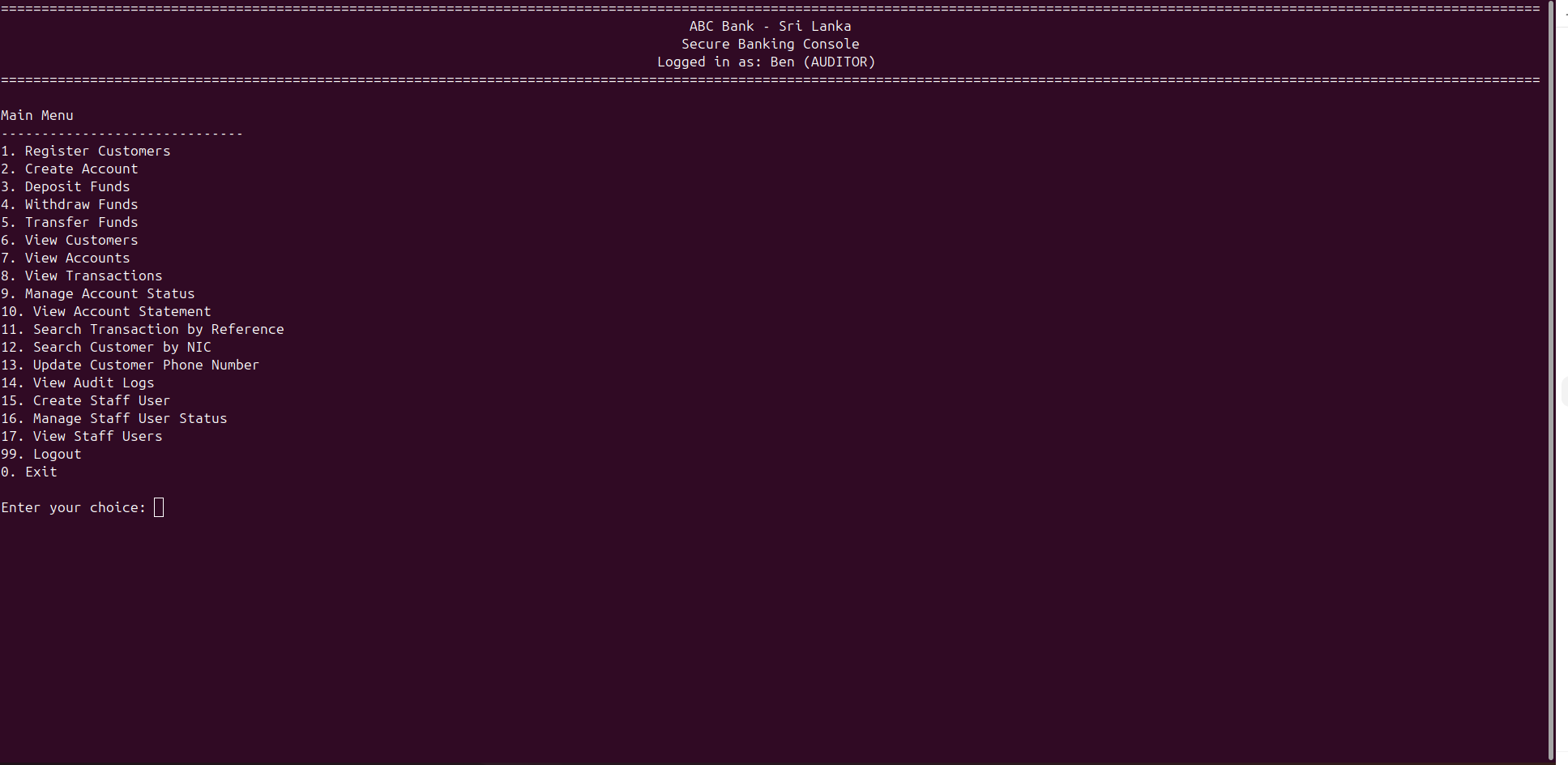
Main menu of the CLI banking system showing the available customer, account, transaction, and staff management options.
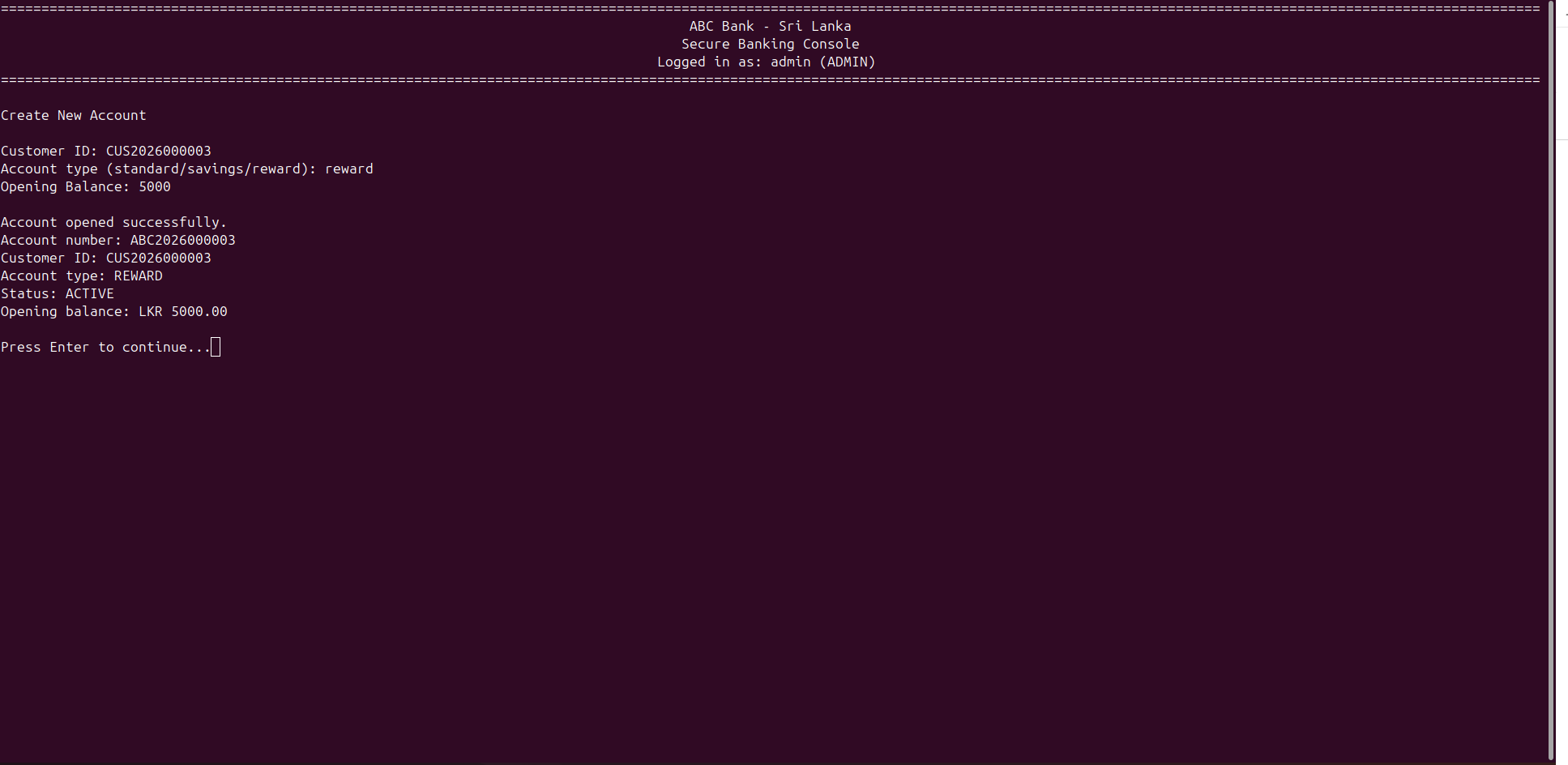
Account creation screen where a new bank account is created with customer details, account type, and opening balance.
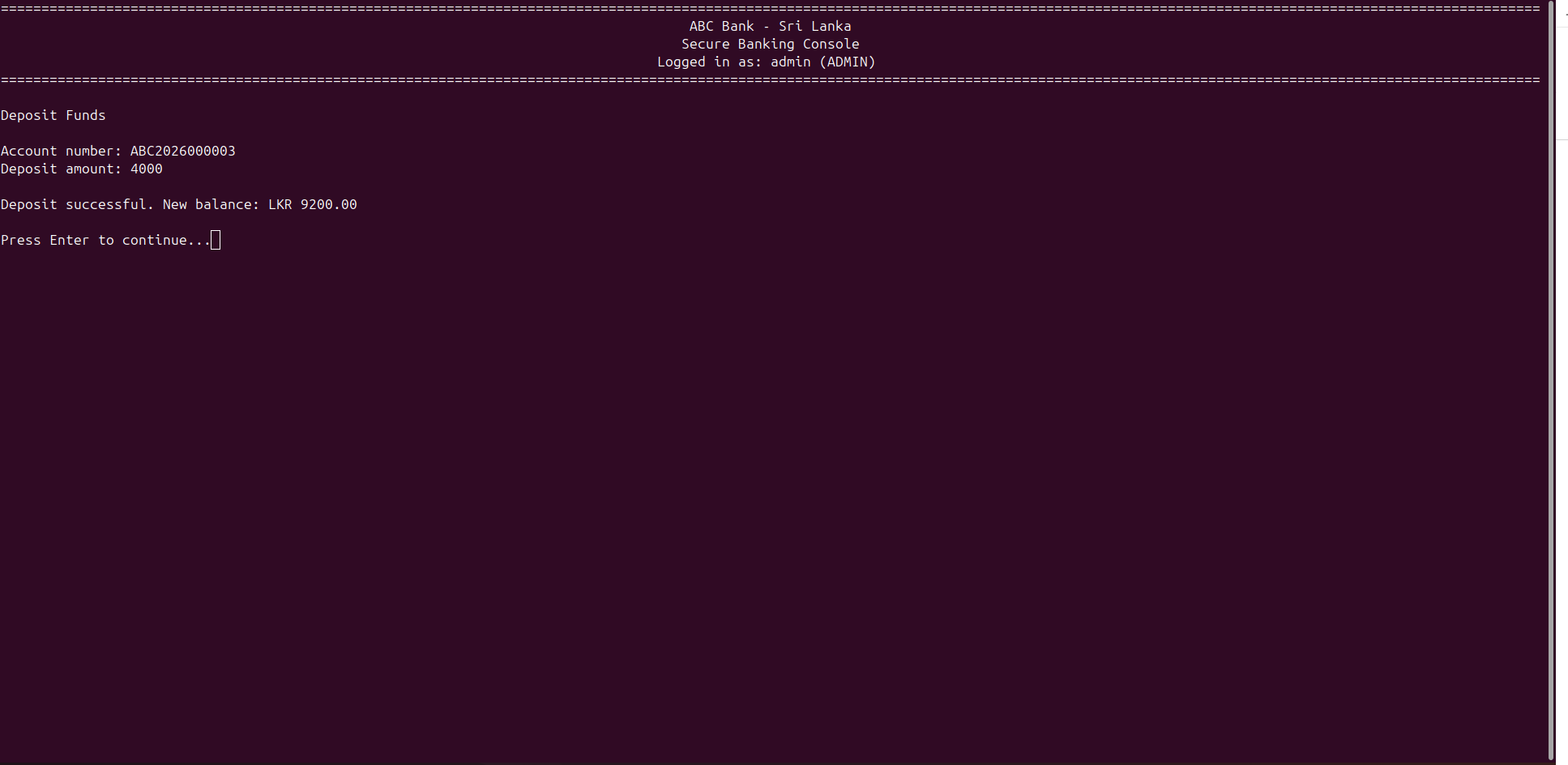
Deposit workflow showing how money is added to an account and recorded as a banking transaction.
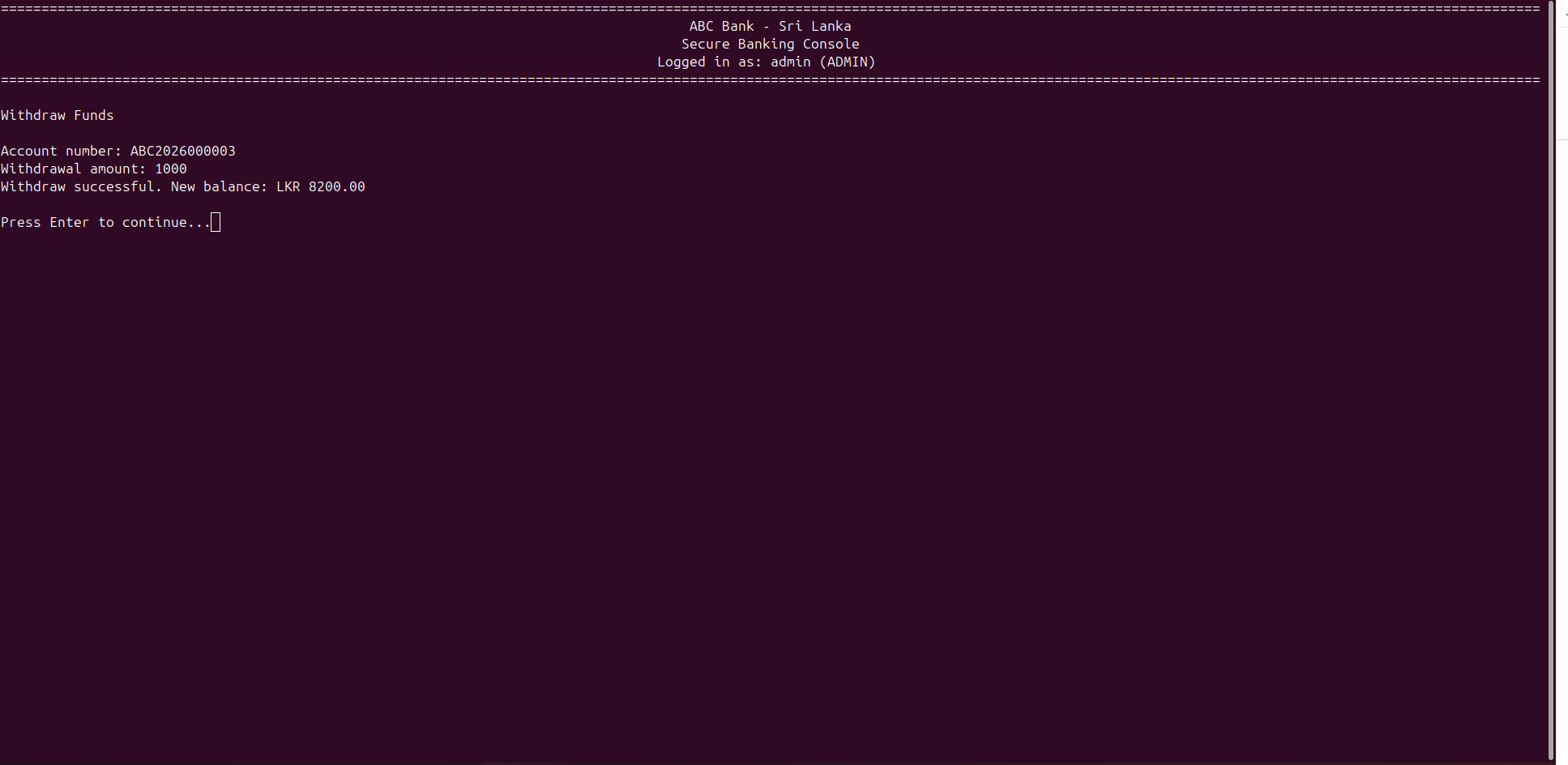
Withdrawal workflow showing balance validation and account-specific withdrawal handling.
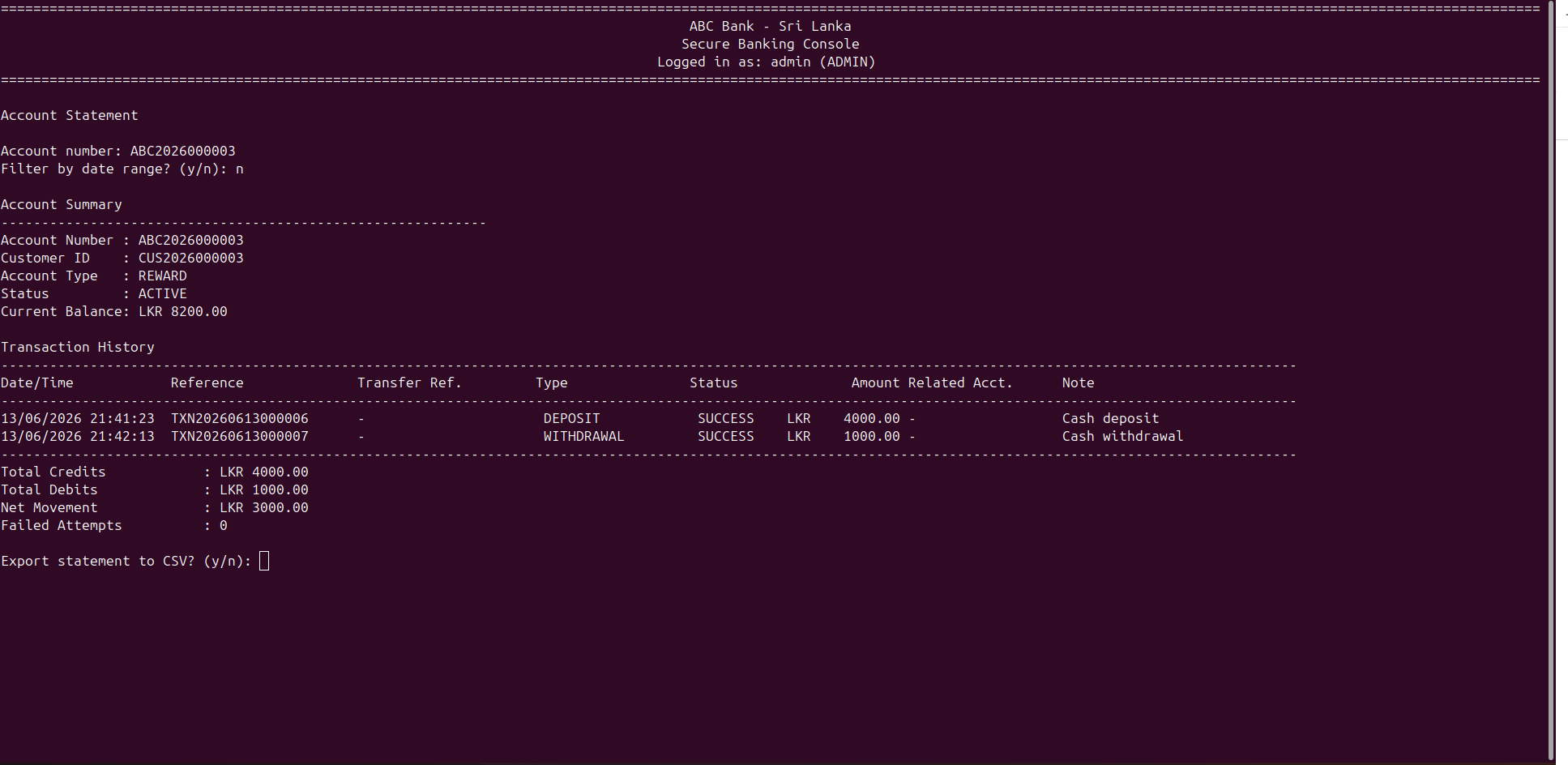
Account statement screen showing recorded deposits, withdrawals, transfers, and balance changes.
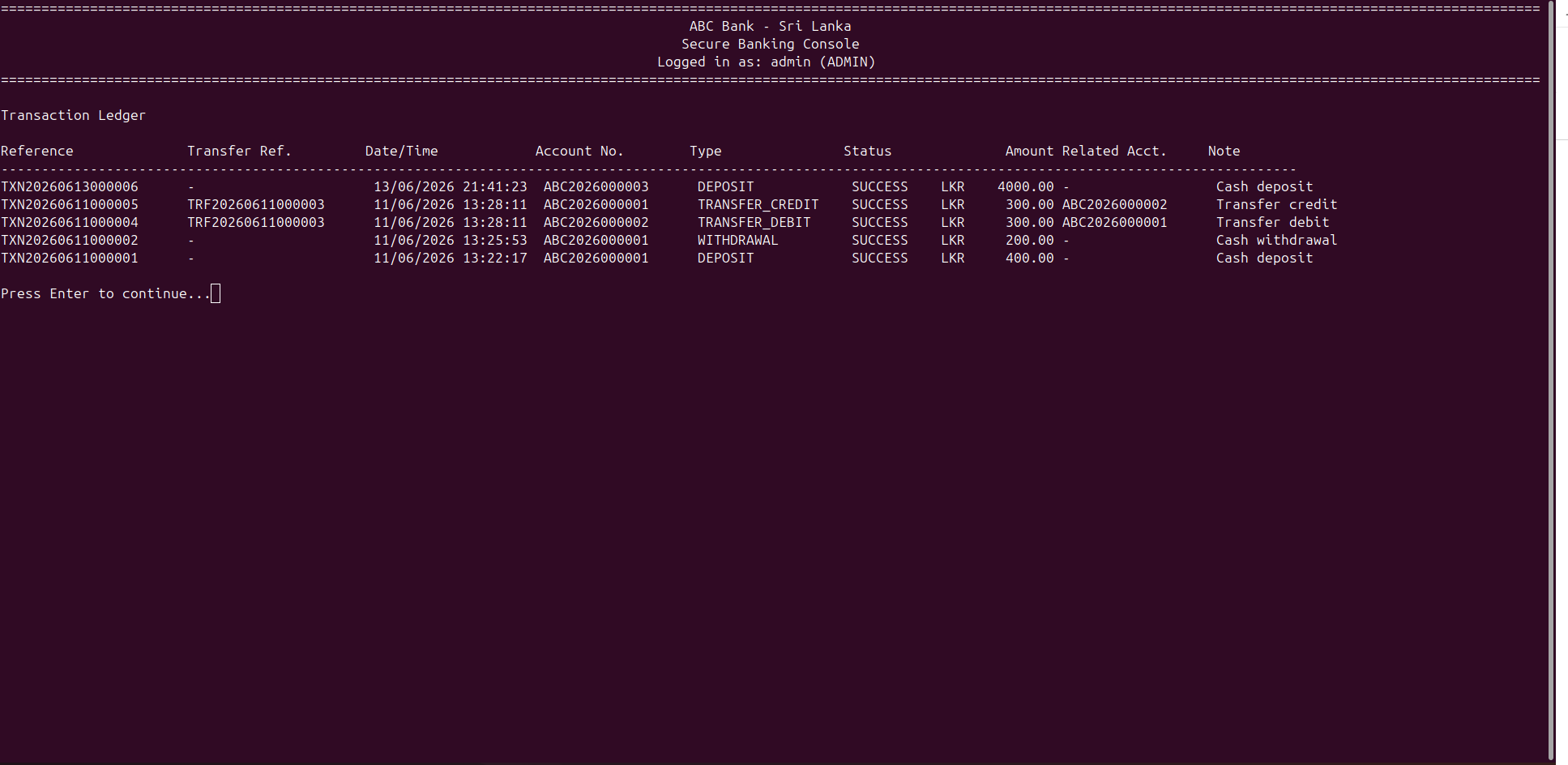
Transaction history view showing recorded banking operations and transaction references.
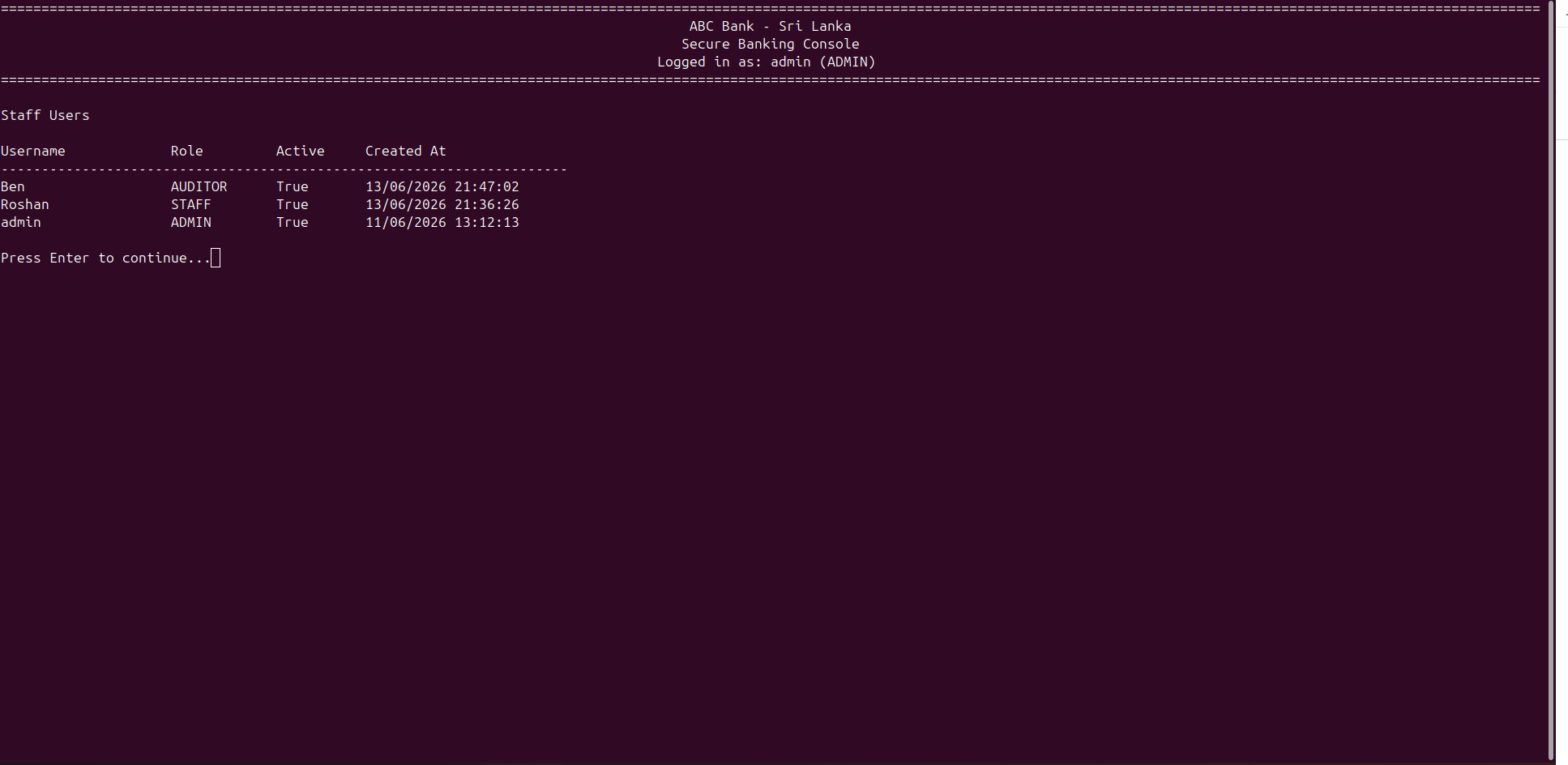
Staff user management screen used for managing system users and their access.
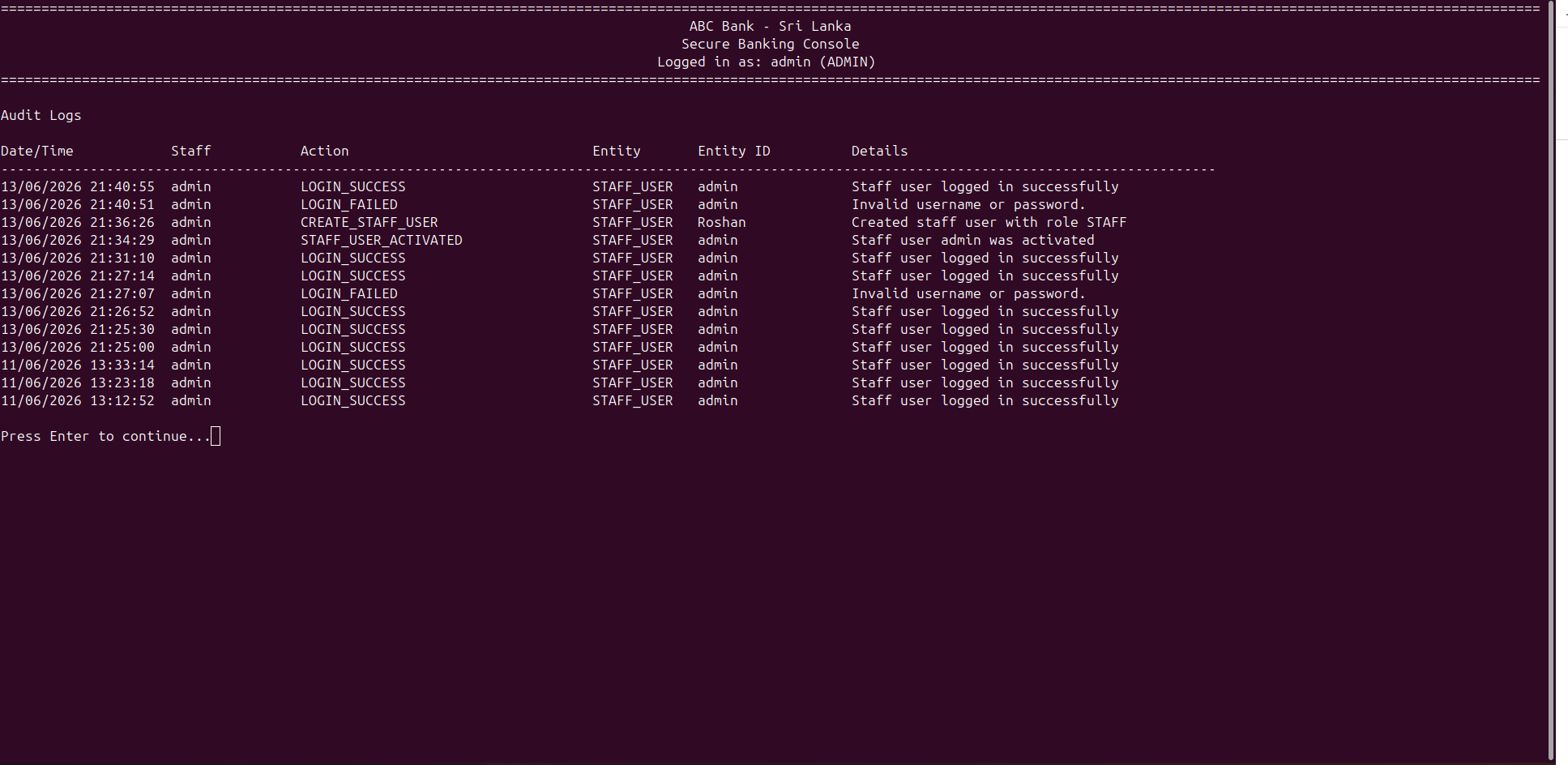
Audit log screen showing system activity records for important staff and banking actions.